Issue Description: Since the last patch, during a game play, image freeze but sounds keep playing for some seconds, then I disconnect back to the character selection screen with error 2014. It happens several times per day. Before last patch I had no problems.
I have updated the GPU drivers but still getting the same problem. My connection works perfectly.
Your Region & Name of ISP: Canary Islands, Spain / ISP Pepephone
I can confirm that it is not windows update. I’m on the latest win11 update and still suffer the error 2014 lockups and disconnects. I think you must have gotten lucky for some period of time. The same happened to me. The problem disappeared for a day or two and then reoccurred same or worse than before.
This has started happening to me as of two days ago (19th Dec 2023) the weird thing is I can play normal missions just fine as I have been racking up special condition missions for penance, but if I try to play the Karnak twins special assignment, a few seconds after the lift cutscene I get dumped back to main menu with error 2014, sometimes with an additional “backend error” message.
I have been playing since beta without issue, now I cannot take part at all in the recent anniversary event. It is literally restricted to my taking part in the special assignment. I have uninstalled, reinstalled, I run no mods, geforce experience is running latest drivers but for some reason something in the last 72 hours has made the special assignment fatal for my game. Prior to that I had been running them many times without issue.
#edit 1 (22/12/23)
It seems to occur most often in elevators (lifts) and during ingame events where one player or npc walks/jumps into or collides with me. The error also can sometimes drop my internet connection (no web browsing possible) but recoveres without a router reset within 2 or 3 minutes. I feel it’s worth pointing out that this does not occur with any other game I play online (New World, Chivalry 2, Mordheim etc.) and suggests a real backend problem. I flush dns and restart pc each time and hold my breath I can move forward once I load into the mourning star. Connecting to the internet and game through a VPN does not solve the issue either. console-2023-12-22-13.54.26-77944d88-6844-4190-a7ef-37a3f8bccd46.log (315.9 KB)
Hiya. You were correct! The software bug returned after a few short days. Funnily enough, I was able to resolve it for a short time by using /flushdns and /release + /renew in the cmd window. However, now it’s appeared immune to these solutions.
Looking at the console log in %AppData%, it appears again to be a backend issue. As soon as I log in the console logs the following:
22:22:48.232 [Lua] INFO [Profile Sync Client] rpc_profile_synced_by_all, player:set_profile(), peer_id: a94fdcaada7a351c, local_player_id: 1
22:22:48.235 [Lua] INFO [Package Sync Client] rpc_cache_player_profile Player Profile Cached, peer_id: a94fdcaada7a351c, local_player_id: 1
22:22:48.488 warning: [Lua] WARNING [BackendManager] Title request failed - will retry after pause:
Backend error:
Code: 0
Description: Failed to connect to bsp-td-prod.atoma.cloud port 443: Timed out
This repeats constantly. Given the name of the link I would assume that’s Fatshark’s servers. A theory I’ve seen posted around is that this is possibly blacklisted by ISPs (as one steam user was able to whitelist them on the Palo Alto network) as potentially malicious. It is out of my control to address this, as my computer has Darktide and supporting services whitelisted for incoming/outgoing. Strange that the error pops up inconsistently, but nevertheless means I cannot play.
Interestingly, this may be why VPNs can sometimes get through- they are bypassing security restrictions.
Issue Description:
My game crashes all the time now days, have played the game a total of 20h and the last 5h have just been me starring at a frozen screen while the game crashes. It have been worse and worse over the last 3 days and started with the game crashed and i could recconect to the match. now it crashes 3 times a match and throws me back to select my character. today when i tried to play it crashed while i was in area you start and buy weapons. The error code have been “2014” like the other players here have mentioned. Hope to find a solution soon!
Your Region & Name of ISP:
Sweden
Platform:
Steam
Player ID:
Snrstimp3x
Reproduction Rate:
Once - Rare (<10%) - Unusual (<25%) - Common (<50%) - Often (<75%) - Constant (100%)
—Often/Constant
[PC] Upload Console Log:
i wish i could paste the console log… but the window with the bug report crashed when i tried to copy my logs…
Hey there, just want to post a PSA, please make sure your GPUs are properly seated, this issue went away as far as I can tell after I pulled it out to slot an NVMe into my PC and reconnected it. This isn’t an obvious, that’s what it has to be, kind of solution. Just a thought in case it might be true.
I also experienced the Error Code 2014 for the last weeks… up to a point where the game became unplayable for me. I didn’t understand why, because i could play over 200 hours without any problems and then suddenly i got kicked out of running missions all 5 minutes.
I played with mods, therefore my first idea was to reinstall the game and retry without any mods. It didn’t help. Same issues all the time…
What fixed it for me (hopefully it stays like this):
I’ve also been getting this error since November 2023. I’ve already tried various workarounds including replacing the modem from my ISP.
Unfortunately without success. I “only” have the problems with Dark Tide. Other entertainment software runs flawlessly. It’s quite a pain… I already have +200 hours on my account, and everything was actually running smoothly.
Your Region & Name of ISP:
Region: AUSTRIA / ISP: iPlace.at
An update, I upgraded from a ryzen 7 3700x to a core i7-14700k and the issue disappeared. I think the issue may have been the ram with the amd cpu defaulting to an xmp profile that disagreed with the cpu. For people still having this check your ram config in your bios and try disabling any xmp profiles to see if it helps.
I have just bougth the game and I can’t play it because each time i press the button start i get the same error 2014. I have restarted the game and my pc several times. I have supressed the appdata file and then I have done the verification of the files on steam, but nothing changed. I am in France so i guess Europe region, I have read that this is a servor error so i wonder if this this linked, but if I can, i don’t want to pay a VPN just to play to a game i have bought. I have also 4G livebox, could it be linked ? I do not have internet fibre. Does someone has a solution.
Excuse me for my english, it’s not my first language
Steps to Reproduce (Required):
1- Start the game
2-Press button start or (commencer in french) so i guess this is the button start in english
3- return to main menu with “error 2014” in red
**Issue Description:**I am disconnected from the servers while playing. I’m getting error messages 2014. I have to rejoin the game. This happens from time to time. Sometimes sporadically, sometimes even 2-3 times during one game and at different times of the day.
.
i think its hilarious that they dont even know what an error 2014 is, and thier suggestions to fix lead to caustic, this may make you lose connection to your entire internet. fix your game because its a fatshark proble,. i did every fix suggested everywhere. it leaves 1 thing. them.
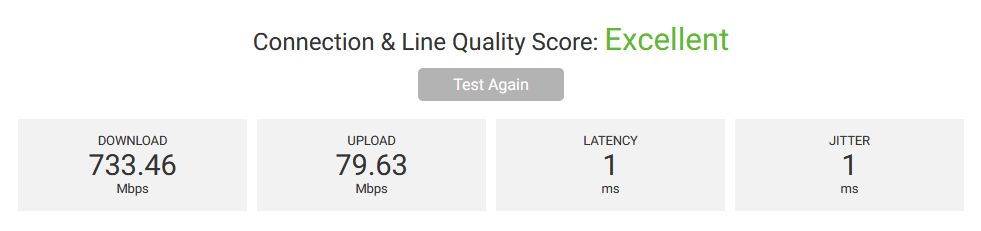
In addition, I would like to add that having observed problems with error 2014 for at least 2 months, I am convinced that it is a problem of the darktide server, and not of my internet. I have a fiber optic connection with very low ping. Here is a link test and a screenshot of the fatshark.se server measurement using WinMTR.
still having 2014 and 3103 now game crashes with no error message. problem geting worse.
GUID: 2378ff22-bec3-4cb2-976a-1e7c820a212b
Log File:
Info Type: