Issue Description (Required):
Let me preface by saying I know this isn’t a new issue, other players have mentioned this on/off for years.
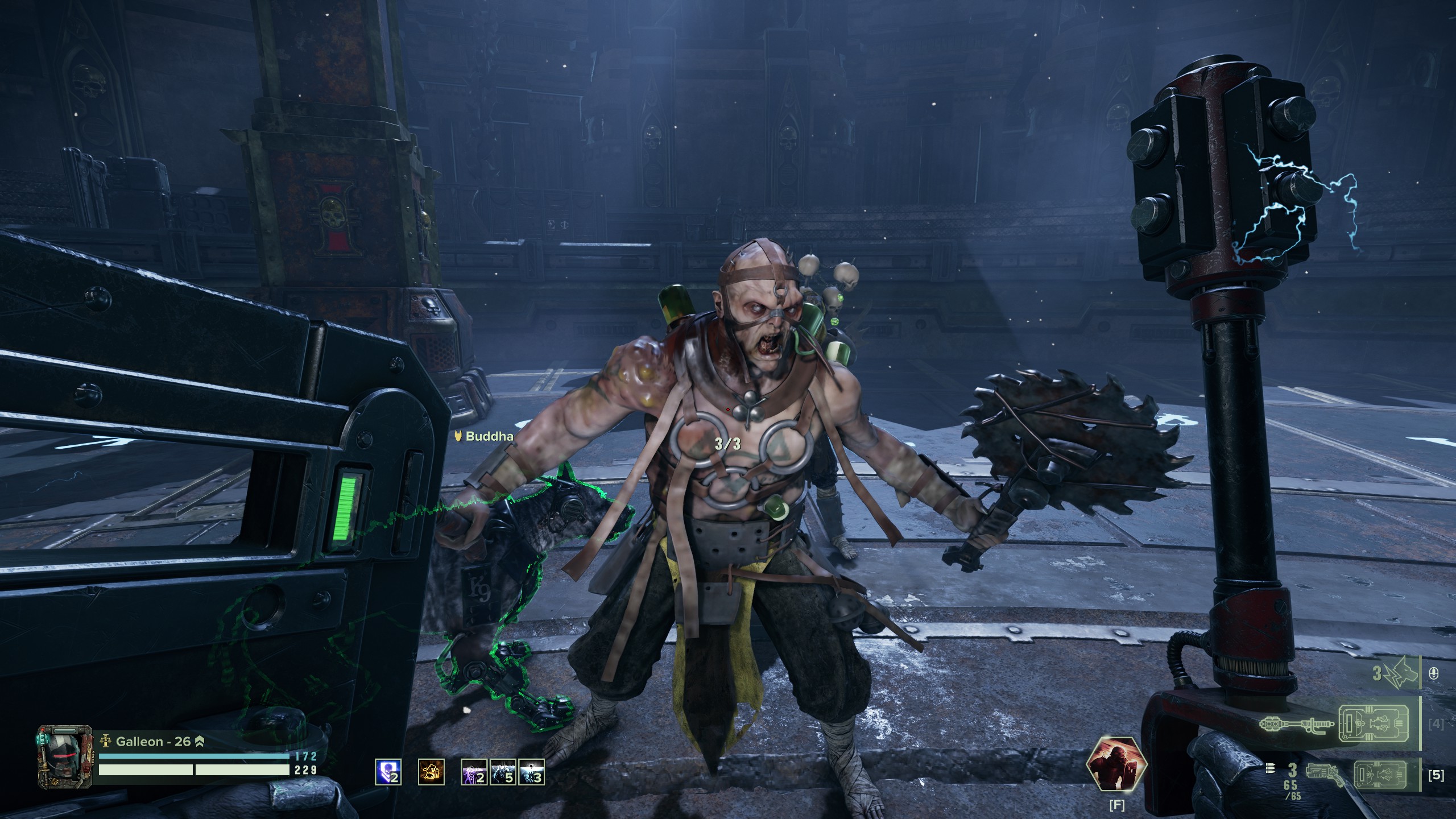
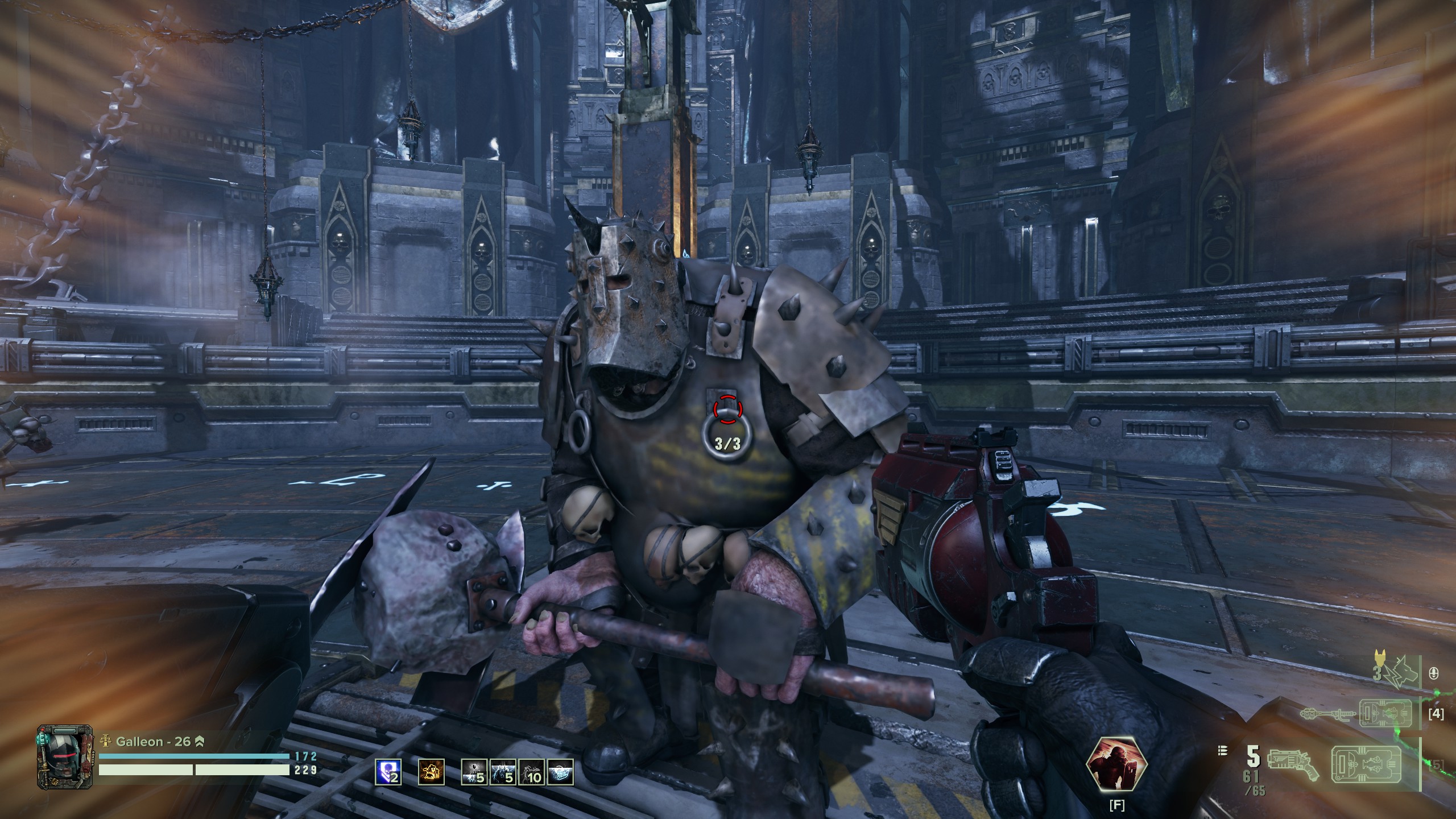
I am experiencing significant Texture LoD pop-in / rendering issues with the textures of weapons, the environment, enemies, etc.
I’ve attached two images demonstrating the issue – most enemies look like this for 2-5 seconds after appearing.
The only solutions I have found are one of two things:
Disable DLSS and select Anti Aliasing “off” or “FXAA”. If TAA is selected, the problem immediately starts.
or
DLSS enabled, Texture Quality to “Medium” seems to help quite a bit ← my issue with this is there shouldn’t be an issue running the game with High Texture Quality settings.
Every other in-game graphical setting, I’ve tried. None have any impact on the LoD issue. Mesh Quality 1 vs 5 does affect textures at a distance, but not the underlying issue I’m describing.
Couple other things with respect to the gpu:
temps never exceed 70 degrees Celsius, usage is ~95%, interestingly I don’t think I’ve seen VRAM exceed 7GB, which leaves a 5GB overhead…?
Initially, I was leaning towards an issue with my drive, and for the hell of it I pulled out an older WD_Black SN850 that’s significantly faster than the Intel 670p I’m using and there was no improvement.
If anyone has any tricks / solutions, I’d love to hear them.
Attempted Solutions (Optional):
Software:
- Repeatedly reinstalled the game
- Deleting nvidia cache, darktide cache, and %AppData%\Roaming\Fatshark\Darktide
- Multiple DLSS Models (atm using K)
- Every 50XX driver that’s been available
- Drive health checks, virus scans
- Tinkering with settings_common.ini (streaming_texture_pool_size, streaming_max_open_streams, streaming_buffer_size)
Hardware:
- 3060ti, 5070, 5080 = irrespective of the card, the issue persists.
- Intel 670p NVMe and WD_Black SN850 NVMe
Platform (Required):
PC - Steam
[PC] PC Specifications (Optional):
OS: Win 11
GPU: 5070
CPU: 5800X3D
Mem: 32GB DDR4
NVMe SSD
Avg Max FPS: 120
Avg Min FPS: 90