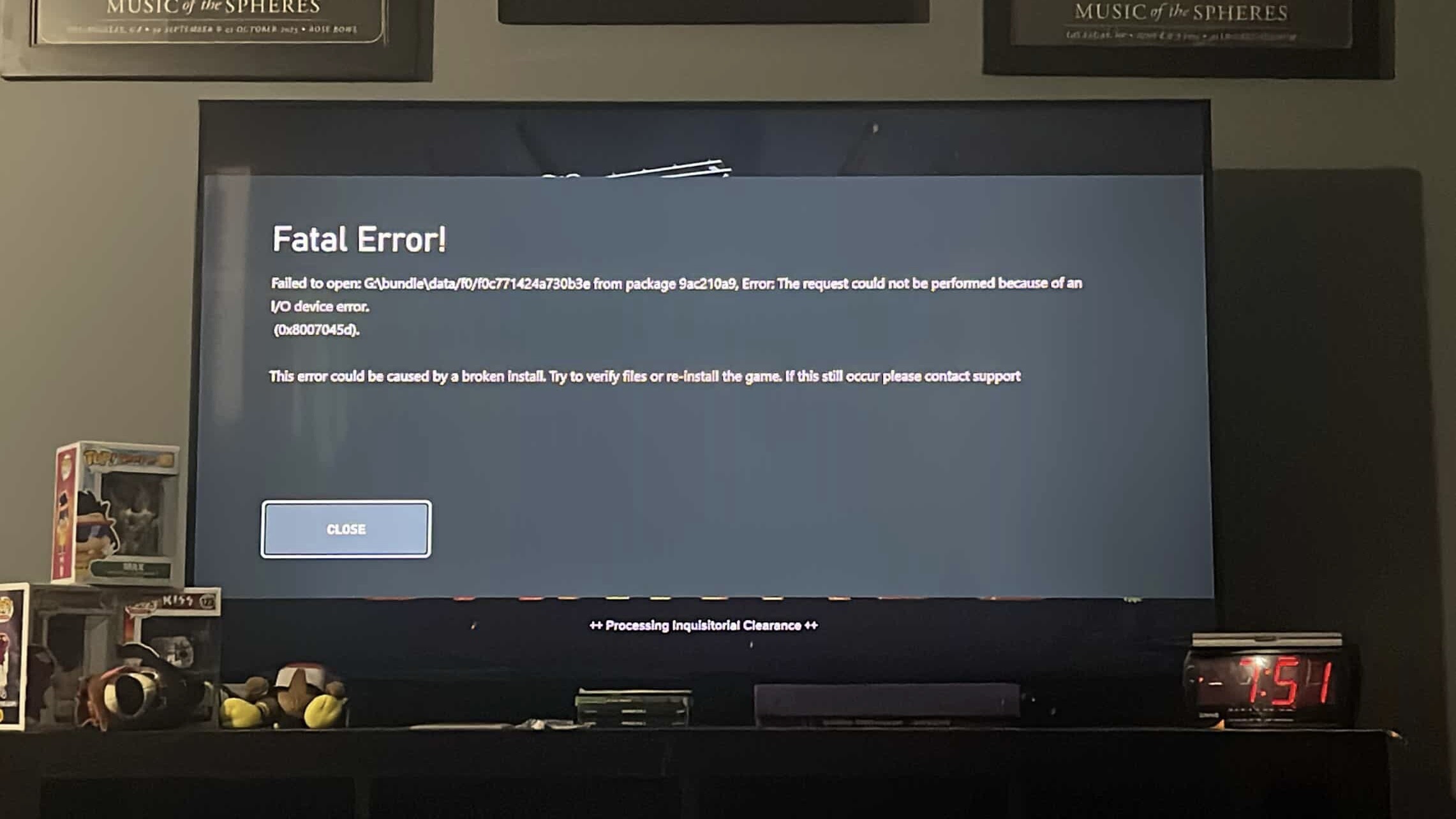
Issue Type (Required):
Error - (Other)
Issue Description (Required):
I keep receiving a fatal error message , at random that kicks me out of the game. I will share a picture of the exact message. I’ve uninstalled and reinstalled half a dozen times now w more than adequate memory left on my hard drive. Only started happening within the last 2 months when I’ve been playing installed, for 6+ months
[PC] Do You Use Mods? (Optional):
No, I don’t use mods
Reproduction Rate (Required):
Often (<75%)
Platform (Required):
Xbox
Player ID (Optional):
Sirscumdog89
Hello! Could you include that picture of the error, please? 
I have installed and reinstalled many times , and again last night. I installed in order to stream on Twitch as cloud gaming won’t allow for live streaming.
Got it - try removing your local save data by:
- On Home, select ‘My Games & Apps’
- Highlight Darktide and press the Menu button on your controller
- Select ‘Manage Game & Add-Ons’
- Select the Saved data box, then choose the item you want to delete
Please be aware this will reset your loadouts and any custom keybindings!
As in I would have to redo all talent trees for the 5 classes ?
Surprisingly , it didn’t reset anything but the game FEELS smoother , I can’t explain how or why
But I will back within the next day or so w an update
Thank you for getting back to me
This is my fav game and I was starting to hurt bc of this issue
Scratch that , fatal error is still happening even after deleting everything
So I deleted everything entirely uninstalled and reinstalled
So far , so good..
Do you happen to have Darktide installed on to an external drive?
It’s on my internal . Granted it’s the smallest version of the S , I still keep about 40% of it free and avail to account for updates and games running smoothly.
Have you tried clearing the consoles cache? I don’t have one to try it myself but I heard all you need to do is
- Shut down and unplug the console
- Press the power button a few times to drain any excess power left
- wait 2 minutes then plug it in and try playing again
I will look into this later and attempt today
1 Like
Cleared cache, problem persists still
This is becoming maddening beyond comprehension
Idk what to do! 
Sorry to hear that. I think, as this error is being produced by the console as opposed to Darktide itself, I’d recommend reaching out to Xbox Support who’ll be equipped to look in to this properly!
1 Like
Thank you for the response and input you have given me. I really appreciate it. Love the game and as always keep up the good work
1 Like
Hey guys, just wanted to touch base on my issue
I basically deleted and redownloaded my whole gamer profile info etc etc etc to my Xbox. As if the system was brand new and it fixed my issue. So it was def on the consoles tech end
Thank you for everything
Love you fatshark!
2 Likes