The game gets laggy even in lower settings even tho i have high-end PC, Even if i want to enjoy the graphics, It’s hard to enjoy gameplay while it having a hordes of enemies lagging my game so bad my FPS just falls all the way to 40 or 30 FPS with RTX 4070 super, And it’s rough.
The game needs a optimization, If they intend to add more content like maps, or enemy, who knows. But the problem is the engine being rough even for RTX 4070 super in medium settings.
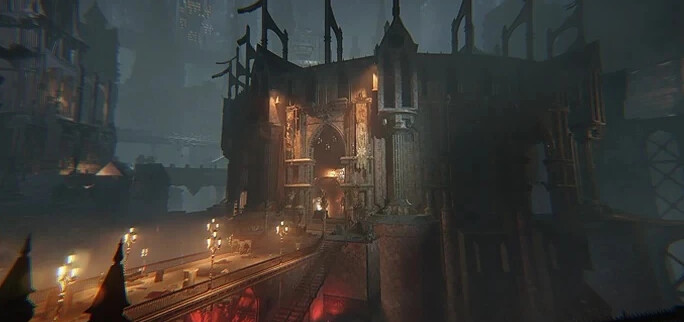
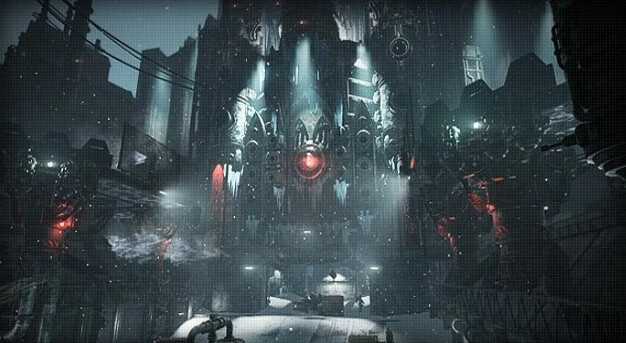
Thanks, I have seen this one before, But it doesn’t change how my FPS yet still go blow 60 FPS, Because of huge (mega) hordes that spawn and also the amount of particles, Yet i still want to enjoy higher then low settings, And yet i still have to put my settings lower. If you want to understand what i mean, Try out Auric Maelstorm, You will hit huge hordes sometimes. And you will feel it. Also not just in Auric Maelstorm, Just normal maps such as like:
While playing those maps with much more entities, You can find yourself hitting that below 60 FPS. (It’s playable, but you can feel it)
It doesn’t really change but it’s smoother experience that’s for sure. The game needs some sort of Optimization. with rendering stuff or rending farther away textures. (Even tho it would destroy the feel of Darktide environment)
The CPU is Ryzen 9 7900X3D, Works like a charm. Note this, I also added this post because of my friend using an AMD graphic card Radeon RX 7800 XT, With CPU, Core i5-12600K has the same problem, Hits 50 FPS or lower depends how heavy the hordes.
CPU: Ryzen 9 7900X3D
R: 1440p
DLSS: Sometimes Balanced or Quality, Depends how i feel, But it doesn’t effect the FPS problem. Without or with performance on, It’s just bad.
I have a 7800x3d and a 4090, playing at 1440p. I can’t complain about frame rates, but I feels like the gane stutters when an Ogryn fires the rumbler or the box of hurt. How is that possible?
It’s probably the worst CPU for gaming you can buy.
To ensure you are using the 3D cores it puts the other cores to sleep. This means you are using 6 core to game with.
If it ISN’T doing that, it will use the other cores which don’t have the vCache on them, and will also incur a performance impact due to the 2 CCD nature of the CPU.
You can try using core affinity to assign the game to only the front 6 cores and that should help with the big dips.
I heard about that issue, But only having issues in darktide only, Know this, I never had problems with 7900x3D, Also even if it’s 6 core, It doesn’t suppose to act up like this. I know the hate around 7900x3D and it has nothing to do with it. I can try changing it to Intel Core i5-13400F. But i’m already guessing it would still have the same effect problem.
I know people with weaker systems that get better performance than you. I would imagine it is the CPU’s architecture. This game doesn’t like AMD CPUs at the best of times and you have probably the worst one.
If you haven’t tried core affinity for Darktide, I can’t help you diagnose the next potential issues.
Update, I replaced my CPU with i5-13400F, Haven’t changed anything, Only 3+ FPS. But it doesn’t change the problem with the game being laggy. (Note, I don’t have problem with it, It’s just an information by overall)
The game is very much CPU limited. I have an i5-13400F also, but with RTX 3060 ti. In general the game feels like it is terribly poorly optimized, as lowering resolution and everything has relatively little effect on my FPS below a certain threshold.
Of course a 3060 isn’t ideal by any stretch, so if I enable too much eye candy my fps suffers a lot. Nevertheless, if I go below a resolution of 1920x1080 I basically gain no additional performance, which tells me it’s the CPU limiting my fps most of the time.
But it’s not just enemies. Standing at the valkyrie on relay station TRS-150 and looking back into the architecture from the ramp, at the mission conclusion, I get 50-60 fps. This is abysmal performance considering I’m just looking at map architecture with no enemies around. And that’s with everything set to low or medium quality.
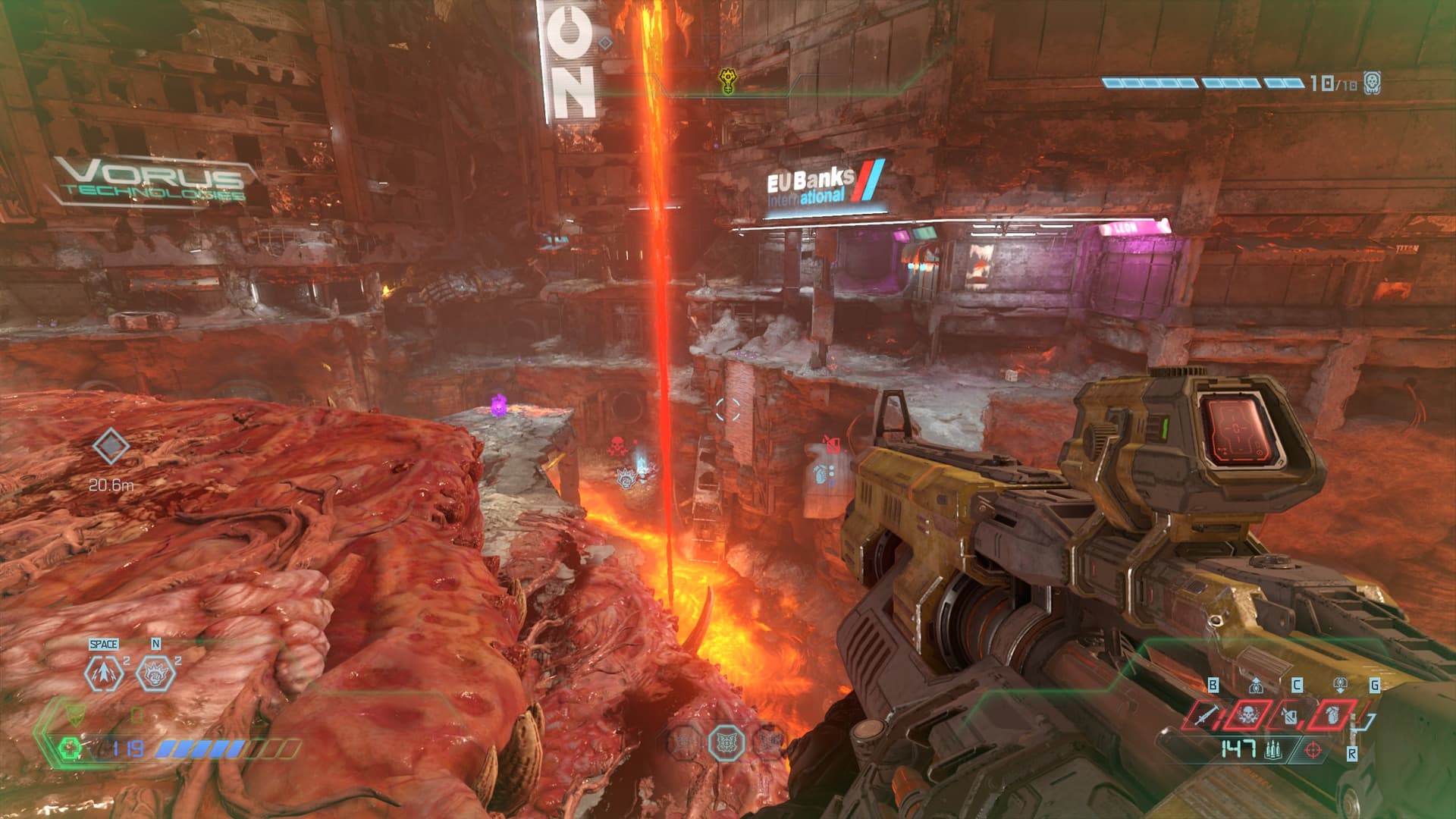
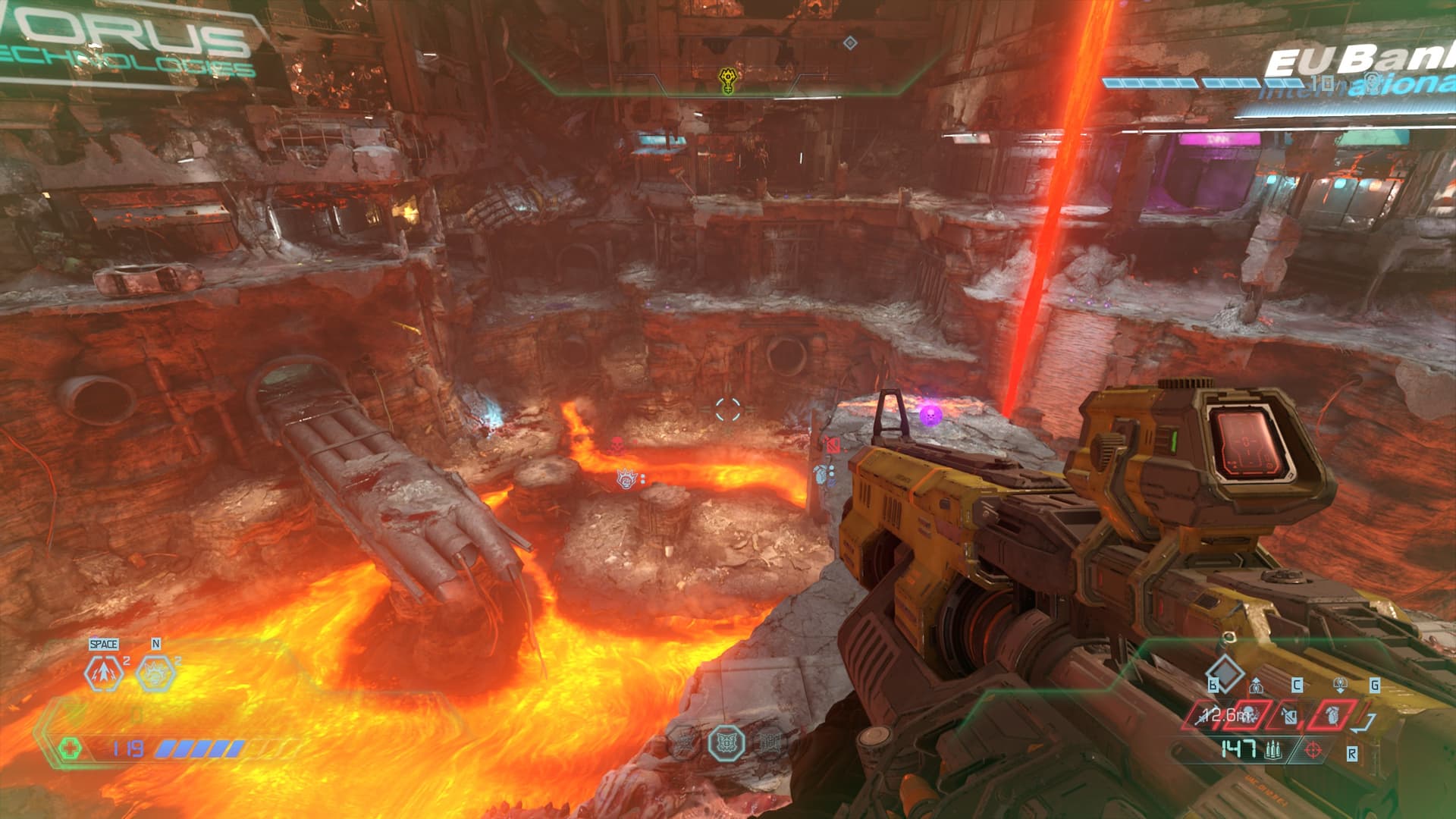
Loading up Doom Eternal, with everything on ultra/maximum quality settings except ray tracing, even in scenes with overview of large amounts of terrain (like Super Gore nest) I still get >100 FPS.
It is far from obvious to me that this scene, where i get 68 fps:
I can barely get 100 fps by staring at the floor in the mourningstar, in darktide. And I have to find literally the most complex scene on the map to get down near 100 fps in Doom Eternal.
What’s worse is DLSS is disabled in Doom Eternal (so there is no fps boosting algorithm running), and I have it enabled in quality mode in Darktide.
That really says something about how poorly optimized Darktide is. Or they just have much better engine programmers at ID software, which I suppose given the company history is kinda to be expected.
if anything of carmacks magic survived into current id-tech its not even a contest.
that being said, optimizing a singleplayer experience is a different beast and what might look like more intense visual fidelity could be achieved with much “cheaper tricks”
plus doom eternal is a arena-box type of level design with enemies spawning in only when entering the box.
nor does it have the ragdoll effects and enemies sadly despawn completely (tried modding them to stay indefinitely like the doom games of old to give me the corpse mountain goodness i crave)
darktide has several enemies ever present across the whole map, hourglass being a btch when it comes to frame dips at the very start, which oddly even out after a couple rooms even with more going on onscreen.
unoptimized? for sure, but the engine might very well be more taxing for aspects behind the curtain and the whole “coop thing”
ever wondered why coop isnt a thing in doom 2016 or doom eternal?
we played literal decades in doom 1/2/tnt/plutonia/hell revealed/darkening/… in coop
doom eternal i finished once on hardest settings through all dlcs… that was it.
dec 2022 i bought a rig just for darktide and the only thing i regret was going for an i7 instead of an i9 for the former struggles after 14 ragdolls the later would have no problem up to around 80-90
so a lot of games that look “worse” than id-techs titles might have something different as “priority” to make multiplayer stuff work.
The fact that darktide is a coop game should not affect scene rendering performance in the mourningstar when facing away from other players that might be present ,and looking at the floor.
NPCs are simulated server side, they are merely depicted on the client. Enemy npcs only affect your FPS when they get into a spot where the client begins rendering them.
There are no ragdolls being computed when I just stroll around looking at architecture in the mourningstar. And in any case I’ve set max ragdolls to 6 in darktide. Also, there is ragdoll physics in Doom Eternal.
there is but usually less enemies on screen when compared to darktide. and they all disappear when killed almost instantly.
whats taxing on the mourningstar seems to be their method of lighting and while the doom map examples of yours might be visually more “pleasing”, most likely id techs method is way more economic.
that being said, i dont know the poly count of the doom arena i question, might very well be lower than mourningstar/what we get to see.
the “looking at the floor” thing i did since quake 1 was a thing and i wanted so badly get the fps rise past 24 with my diamond monster card.
doesnt mean “background stuff” isnt processed though
Which is why I’m not making a comparison with the screen filled with enemies. Darktide typically have many more enemies on screen.
The poor optimization of Darktide becomes all the more obvious when Darktide has trouble rendering apparently simpler architecture (Such as a mere floo) with lower overall settings, DLSS enabled, at similar FPS, compared to an obviously way more complex open area scene in the other game.
I would be extremely surprised if the floor section I was staring at consisted of more triangles than the gore nest scenes I screenshotted.
No but the fact that staring at the floor does increase fps in both games, shows that it is things on-screen that are most significantly affecting framerate. The fps is primarily determined by the number of triangles, pixels, and the numbers and types of shaders applied to each pixel.
thats the scene you posted, for all we know there could be a real mess behind melks shop in terms of map geometry we dont see and i likewise bet id-tech is pretty clean in that department.
all i’m saying is “looks less impressive” doesnt have to equal “is less demanding on your hardware”
next rig in a few months when the 5080 gets released might very likely get an i9 just to be safe.
IF the havoc mess gets sorted and warrants me throwing another 5k+ at the game in hardware costs