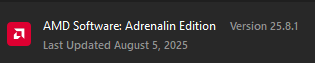
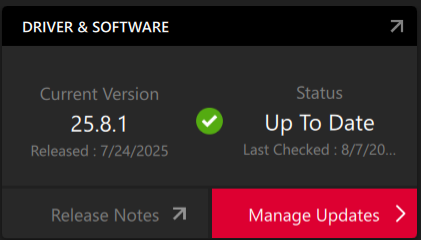
With the new drivers from AMD, its just been a constant crash/driver timeout fest, I’m wonder if possible others are having the same issue as I’m having
Heres the crash notes I was giving if people wanna give it a look:
Gotcha. And welp I did a stream to test it and it caused my drivers to time out
GUID: 5416327a-e8b9-40b9-89a2-4b6ca8048234
Log File:
Info Type:
At D:\a\d\rel_engine_darktide\release\2025_04_29_Patch1.8.x\runtime\d3d12_render_device\d3d12_debug.cpp:1548 in function stingray::aftermath::d3d_assert
Steps to Reproduce (Required):
Just play the game normally with the latest AMD Drivers (25.8.1)
I have been on the latest drivers for the past couple days according to the AMD software, on a 6900 XT, I think I got a similar crash (dxgi device removed) yesterday or the day before, but I wasn’t in the middle of playing, I was sitting AFK at the character select screen for a few minutes. Both monitors went black and came back on and the game had crashed with a similar error message. But I haven’t had any other GPU issues as of now
Looks like i managed to find the console log as well from that session, if that helps at all
It’s entirely possible that the AMD software updated the drivers while the game was running which might have caused that issue because the driver was auto installed on the 5th, and this error/crash was also on the 5th
You might be interested in giving my guide a shot. I probably need to update it for general users but it has a lot of extra steps included to make sure Windows isn’t messing with your drivers without your permission just to rule out any other possibilities
Edit: Nevermind on making sure, assuming this post is correct Windows does seem to be up to their nonsense again https://www.reddit.com/r/radeon/comments/1m7ydij/25106_driver_update_fix_attention_microsoft_is/
I still recommend my guide over this as it’s very thorough and you don’t have to mess with group policy settings you may not have access to. Plus now that I know this you can skip the delete your steam cloud saves parts
Hi, I created an account just to comment i’m having the same problem, just not on warhammer, mine is instead on Umamusume, i’m using an integrated vega 8 graphics, a few days ago I began having this same issue where if I went afk or alt tabbed, it’d first crash the game before forcing the drivers into safe mode until I restarted, i’m about to try DDU and rolling back onto 22.5.1, if you still have the same issue, i’ll update you on if it worked
Hi again, it didn’t work, have tried formatting and installing windows again like 3 times over now, disabling MPO, tried using only one stick of ram in case both of them were making it unstable, tried changing to windows 10 LTSC in case it was an update problem, none of it worked, unsure if it’s the igpu starting to fail