Issue Description:
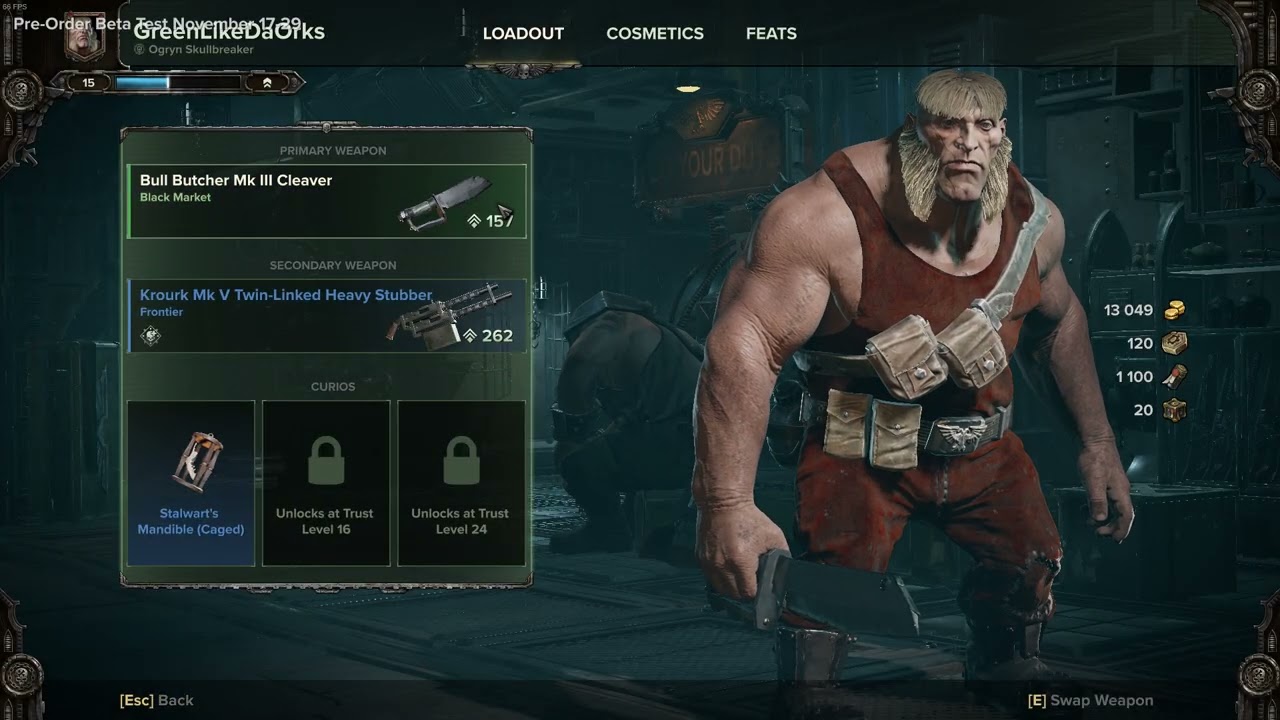
– Consecrating a weapon while it it equipped does not automatically equip the upgraded version, instead it remains the previous version until you swap to a new weapon.
Steps to Reproduce:
- Be in hub and equip a weapon you want to consecrate.
- Consecrate the weapon at the NPC.
- Open your character inventory and see the old version of the weapon.
- Swap to another weapon and back to equip the upgraded version.
Mission Name (If Applicable):
none
Platform:
[Steam/Microsoft Store]
steam
Player ID:
[Steam ID/Steam Profile URL/GamerTag]
Steam ID: 76561198085362027
Approx. Time of Issue & Timezone:
[MM/DD/YYYY, 00:00AM/PM] [TIMEZONE]
11/26/2022 09:40 PM EST
Reproduction Rate:
100% reproduction rate. Happens every time it’s equipped for me.
Upload Supporting Evidence:
[Screenshots, recordings, links to Twitch VODs, etc.]
Upload Console Log:
console-2022-11-27-02.24.54-5e232b86-e2fe-4b2e-9f33-5b3e55de3d63.log (120.9 KB)
darktide_launcher.log (127.1 KB)
- Press the Windows key + R
- Enter %appdata% within the search input and select ‘OK’
- Navigate to AppData\Roaming\Fatshark\Darktide\console_logs
- Locate the console log that corresponds with the session in which the issue occurred, by looking at the timestamps in the log names
- Upload here
Done
Upload darktide_launcher.log: - Press the Windows key + R
- Enter %appdata% within the search input and select ‘OK’
- Navigate to AppData\Roaming\Fatshark\Darktide
- Locate the darktide_launcher.log in this directory
- Upload here
Done